
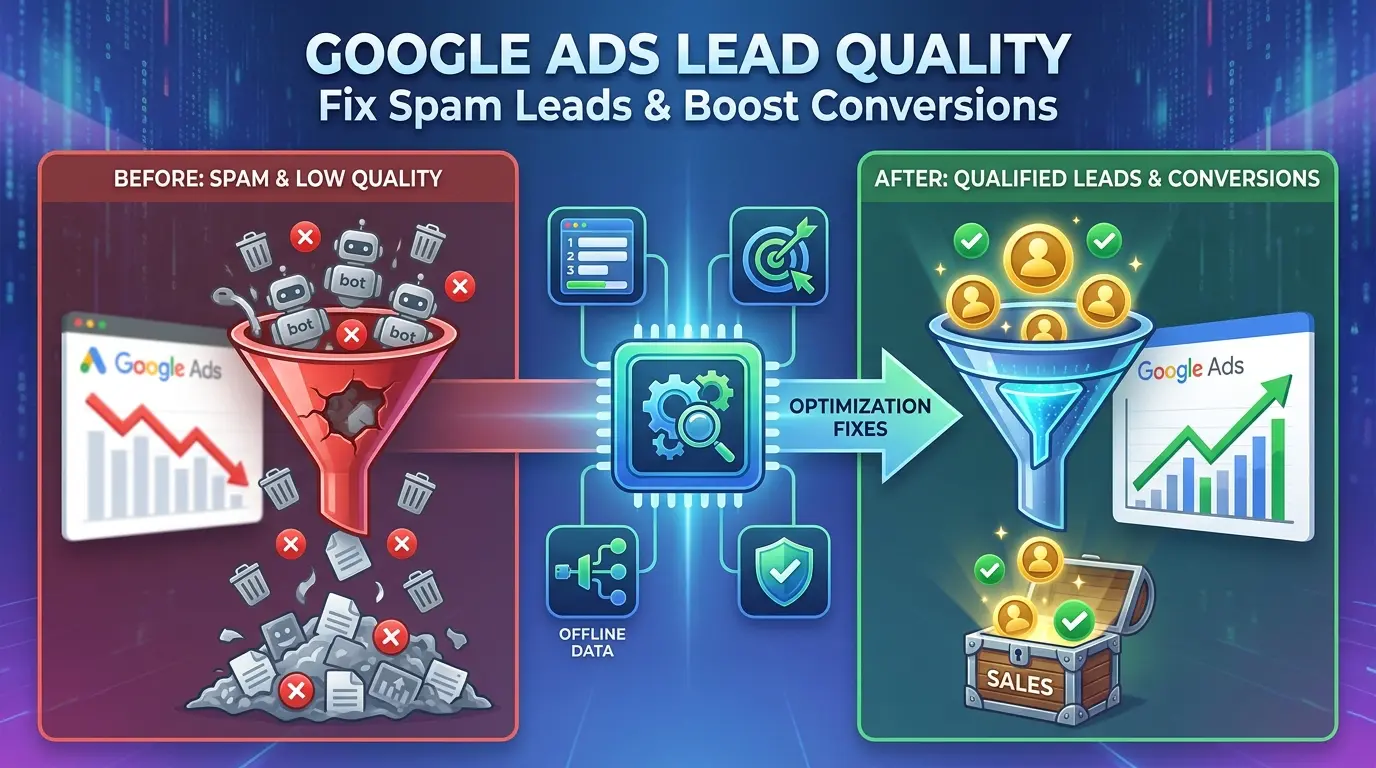

Here’s an uncomfortable idea: your Google Ads account isn’t broken. It’s working exactly as designed.
When it comes to Google Ads leads quality, most advertisers blame their targeting. But here’s an uncomfortable idea: your account isn’t broken. It’s working exactly as designed.
If you’re drowning in spammy form fills, fielding calls from people who hang up the second they hear your price, or watching your conversion numbers quietly erode month over month, the algorithm isn’t malfunctioning. It’s optimizing for whatever you told it to optimize for.
And for most lead-gen advertisers, that’s the problem. You told Google that a 5-second phone call counts as a win. You told it that a form filled out with “asdf asdf” at 2 a.m. counts as a win. So it went and found you more of exactly that.
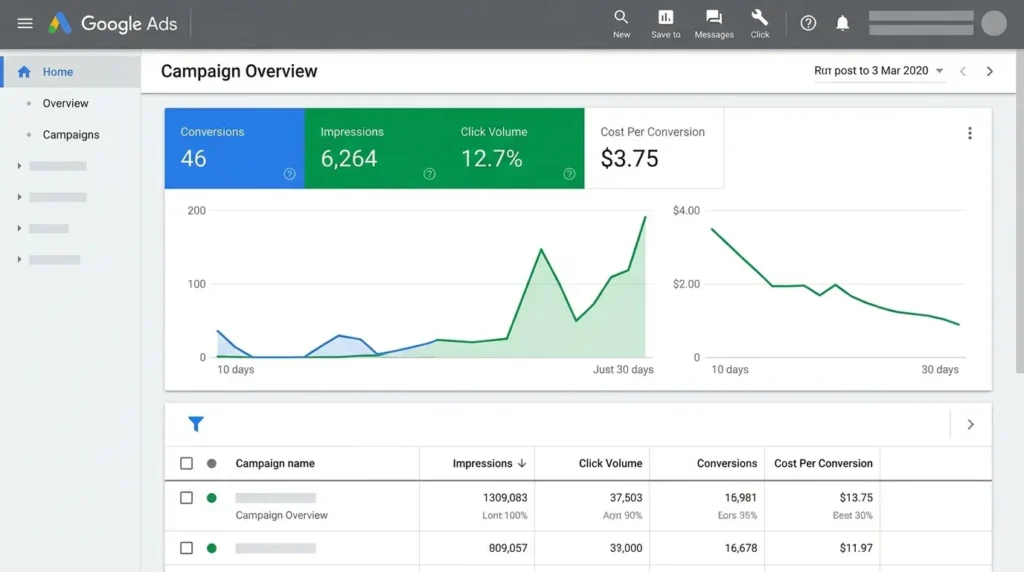
This isn’t a targeting problem. It’s a definitions problem.
What you’ll get from this article:
- The two conversion settings that quietly invite spam into your account
- Why multi-step forms outperform single-step forms by a wide margin, and the psychology behind it
- A documented, source-backed reason Search campaigns should come before Performance Max
- How to “teach” Google’s bidding algorithm what a real customer looks like, using data most advertisers never touch
- A practical Keyword SWOT framework you can run today
- The legal and technical details most lead-gen guides skip entirely
- Google’s default call-conversion window is short enough to count wrong numbers as wins, raise the threshold
- Multi-step forms convert dramatically better than single-step forms and filter out low-intent leads, because the friction is doing two jobs at once
- Search campaigns should establish 30–50 verified conversions before you hand data to Performance Max
- Offline conversion data, telling Google which leads actually became customers, is the single highest-leverage fix, and Google is actively changing how it works in 2026
The Core Problem: Google Can’t Tell a Good Lead From a Bad One
In e-commerce, price does a lot of the filtering for you. Someone clicks a $400 product, and if they don’t buy, that non-conversion is itself a data point. Google’s bidding algorithm learns from it.
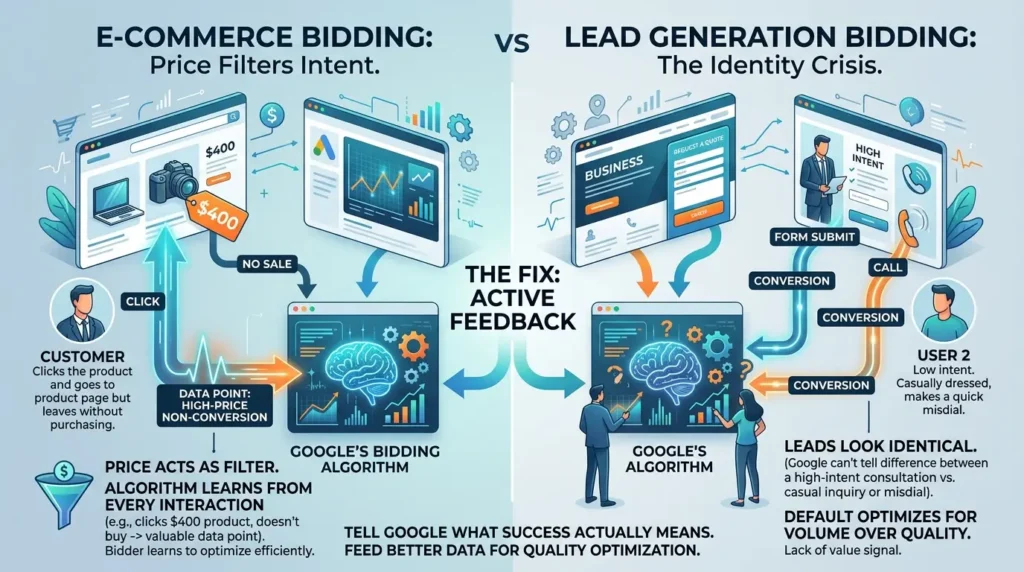
Lead generation doesn’t have that luxury. A form submission looks identical whether it comes from a serious buyer or someone three minutes into Googling “is this even legal.” A phone call looks the same whether it’s a 45-minute consultation or someone who misdialed. Unless you actively tell Google the difference, the algorithm has no way to know, and it will, by default, optimize for volume over quality, because volume is the only signal it has.
That’s the lens for everything below: every fix is really a way of giving Google better information about what “success” actually means for your business.
Fix #1: Your Call Tracking Settings Are Probably Too Loose
Inside Google Ads, under Conversions → Summary → Calls from ads, there are two settings that determine what counts as a “good” call.
Call duration
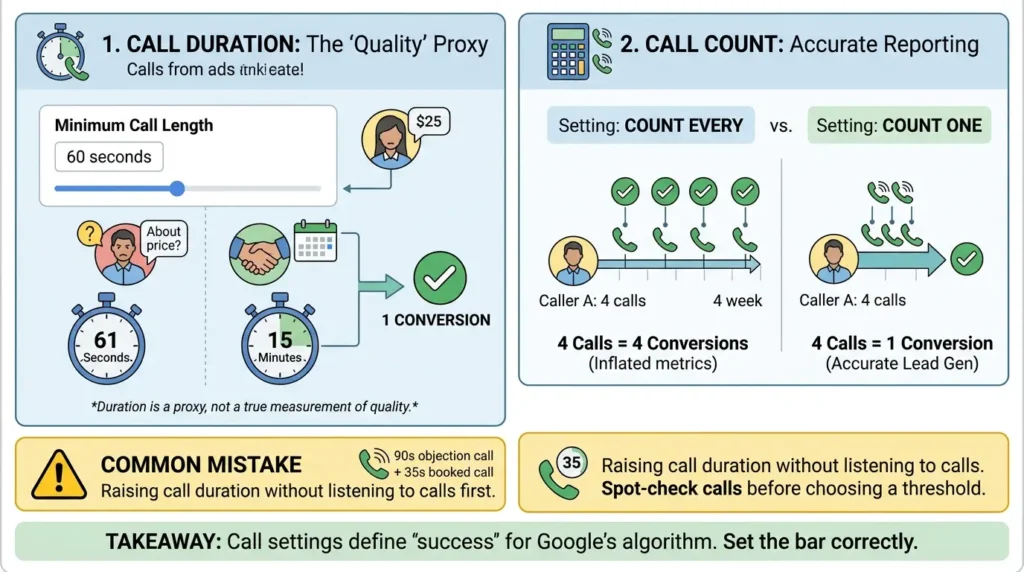
Google’s timer starts the moment the phone starts ringing, not when someone answers. Google lets you set a minimum call length, and every call that lasts at least that long counts as a conversion.
The platform default sits at 60 seconds, though many accounts, especially older ones, are still configured well below that. The practical effect, as one PPC analyst put it, is blunt: a call lasting 61 seconds gets counted the same as a call lasting 15 minutes, even if one was a price objection and the other was a booked appointment.
That’s the limitation to understand before you touch the setting: duration is a proxy for quality, not a measurement of it. It’s a reasonable proxy, but only a proxy.
Call count
You can set this to count every call from a repeat caller as a separate conversion, or count just one per person within your conversion window. For lead gen, one is almost always correct. Otherwise a single anxious caller who rings four times in a week shows up in your reports as four separate “wins,” and your real cost-per-lead gets quietly hidden behind a number that looks better than it is.
Raising call duration without listening to any actual calls first. Duration filters out short calls, but a 90-second call can still be a price objection, and a 35-second call can be a fast “yes, book me in.” Spot-check ten recent calls against their recorded duration before you pick a threshold.
Form conversion count follows the same logic, set to one per person, for the same reason.
Takeaway: Your call settings are quietly defining what “success” looks like to Google’s algorithm. If the bar is low, the algorithm will go find you more leads that clear a low bar.
Fix #2: Multi-Step Forms Aren’t Just UX – They’re a Filter
There’s a counterintuitive idea buried in conversion data: asking for more information, in the right format, increases form completions rather than killing them.
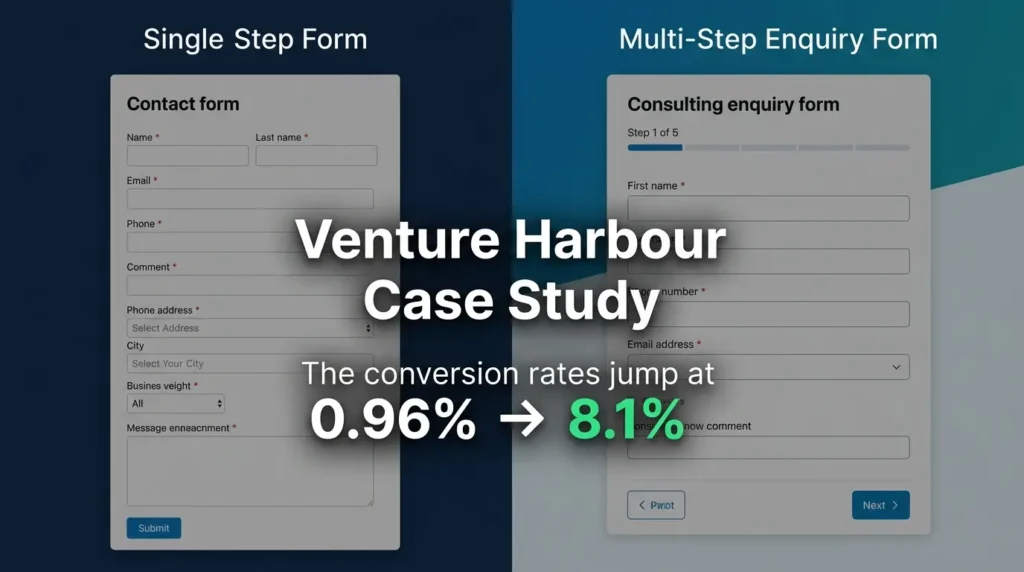
The clearest documented case comes from Venture Harbour, a UK marketing agency .When they changed their consulting enquiry form from a standard single-page contact form to a multi-step format, their conversion rate moved from 0.96% to 8.1%, roughly an eightfold increase, with no change to the traffic, the offer, or the underlying questions asked. Only the presentation changed.
It isn’t a one-off result. Empire Flippers restructured a multi-step business valuation form with clickable buttons and a progress bar and saw a 51.6% increase in conversions in 47 days, and on the B2C side, a separate Venture Harbour study found multi-step forms converting 86% higher than single-page equivalents across a wider sample.
| Metric | Single-Step Form | Multi-Step Form |
|---|---|---|
| Average conversion rate* | 4.53% | 13.85% |
| Venture Harbour case study | 0.96% | 8.1% |
| BrokerNotes (B2C financial leads)* | 11% | 46% |
*Figures as reported in independent conversion-rate optimization analyses citing Venture Harbour and BrokerNotes case data.
The formula behind the comparison:
Lift % = ((New Rate − Old Rate) ÷ Old Rate) × 100
Where “Old Rate” is your current single-step form conversion rate and “New Rate” is your multi-step form conversion rate.
Why this works isn't mysterious, it's psychology. A form with fifteen visible fields triggers an instinctive "this will take forever" reaction. The same fifteen fields, spread across five steps of three fields each, doesn't trigger that reaction, even though the total effort is identical.
Once someone answers the first easy question, they've made a small commitment. Walking away from step three feels like wasting the effort already spent on steps one and two, which is exactly why a "Step 3 of 5" progress bar isn't just informational, it's doing psychological work.
This is also where lead quality enters the picture. A multi-step form that asks about budget, timeline, and project type before it asks for contact details isn't just collecting more data, it's making someone invest 30 to 60 seconds before they can submit.
Anyone unwilling to spend that time was unlikely to become a customer anyway. You can extend this further with conditional logic: route anyone who selects a budget under your minimum to an automated message explaining you may not be the right fit, before they ever reach your sales team.
Order your form steps from low-friction to high-friction: start with a multiple-choice question (easy, fast, no typing), move to something requiring slightly more thought (a date or budget range), and end with contact details. Contact information is the highest-friction ask, put it last, after commitment has already built.
If you are still seeing bot-driven spam even after implementing a multi-step form, introduce a double-opt-in (DOI) process. By requiring the user to confirm their email address before the lead is sent to your CRM, you create a final, absolute barrier for automated scripts and bots. While this adds a step for the user, it ensures that every lead in your database is tied to a functioning, verified inbox—a massive boost to your sales team's efficiency.
Takeaway: Multi-step forms convert better and filter better at the same time, the friction that used to look like a UX flaw is doing double duty as a qualification step.
Fix #3: Why Search Should Come Before Performance Max
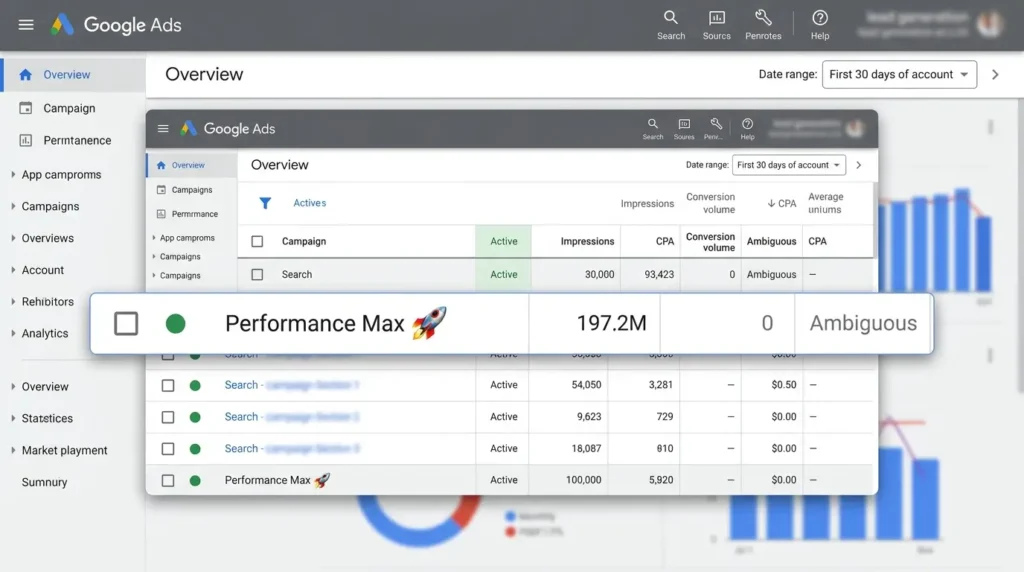
It's tempting to launch Performance Max early, it's automated, it's promoted heavily inside the platform, and it touches every inventory type at once. For lead generation specifically, that's usually a mistake in the first 60–90 days.
The reasoning is about data, not about PMax being a bad campaign type. Performance Max is a machine-learning system: it needs a reliable signal of what a "good" conversion looks like before it can go find more of them. A brand-new account has no such signal. Search campaigns, by contrast, let you control match types and see exactly which queries triggered your ad, which makes them the cleaner place to establish a baseline.
The practical rule that's emerged among experienced PPC practitioners: don't introduce Performance Max into a lead-gen account until you've banked roughly 30 to 50 verified conversions through Search, and ideally, verified means confirmed by your sales team, not just confirmed by Google's conversion pixel.
When does it make sense to add Performance Max?
Once Search is consistently hitting 30+ monthly conversions and you're starting to plateau — bids climbing, impression share maxing out, volume flattening — that's the signal you're ready to layer in Performance Max as a scaling tool, not a discovery tool. At that point you can feed it your verified offline conversion data as an audience signal, which gives it a real target to optimize toward instead of guessing.
Takeaway: Performance Max amplifies whatever data you feed it. Feed it clean data from a mature Search campaign, and it scales quality. Feed it a blank slate, and it scales whatever's cheapest to acquire, which is often spam.
Fix #4: Offline Conversion Tracking - Closing the Loop Google Can't See on Its Own
This is the highest-leverage fix in this entire article, and it's also the one most guides describe vaguely without explaining the mechanism. So here's the mechanism.
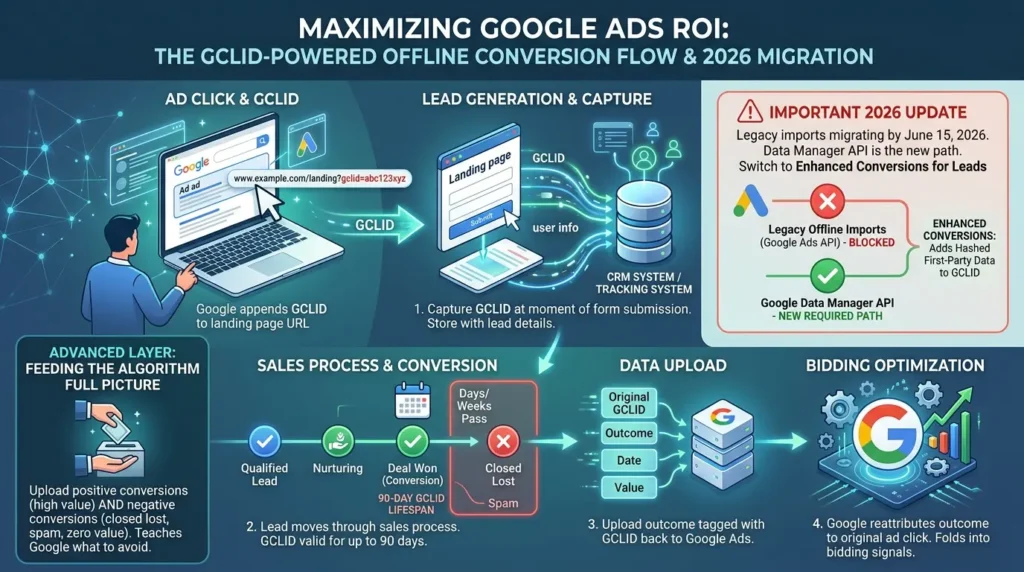
Every time someone clicks your ad, Google appends a unique identifier, the Google Click ID, or GCLID, to your landing page URL as a query parameter. It looks something like ?gclid=abc123xyz, and that string is the bridge between an ad click and every conversion you'll ever attribute back to it.
Learn more about how Google’s offline conversion tracking functions
The implementation, step by step:
- Capture the GCLID at the moment of form submission: You'll need to enable auto-tagging and make code changes to your web pages to capture the GCLID parameter and store it alongside the lead's information in your tracking system, your CRM, a spreadsheet, whatever you're using. If you don't capture it the moment the lead event happens, you cannot retrieve it later.
- Let the lead move through your sales process. Days or weeks pass. The lead either becomes a customer, gets disqualified, or goes quiet.
- Upload the outcome back to Google, tagged with the original GCLID, the conversion name, and the date it occurred.
- Google reattributes that outcome to the original ad click and folds it into the signal its bidding algorithm uses going forward.
There's a hard deadline built into this process: GCLIDs have a maximum lifespan of 90 days, and any offline conversion imported after that window won't be attributed. If your sales cycle regularly runs longer than three months, this matters, you'll need to import partial signals (e.g., "qualified lead") within the window, even if the final sale takes longer to close.
Starting June 15, 2026, legacy offline conversion imports and enhanced conversions for leads uploads are migrating to Google's Data Manager API and being blocked in the standard Google Ads API. If your account or your developer hasn't sent a request through this path recently, check your setup now rather than after the cutover. Google is also steering advertisers toward "Enhanced Conversions for Leads," an upgraded version of offline import that adds hashed first-party data on top of the GCLID, it's worth migrating to directly rather than building on the legacy method. View the latest Google Ads API documentation for integration updates
The advanced layer most advertisers skip entirely: don't just upload your good leads. Upload the bad ones too, tagged with a low or zero value. If Google only ever sees positive signals, it has no concept of what to avoid. Feeding it the full picture, this lead closed, this one ghosted, this one was spam, gives the bidding algorithm something to actually steer away from, not just toward.
Takeaway: Offline conversion tracking is the only mechanism that tells Google what happened after the click, and starting June 2026, the technical path for sending that data is changing, so this is worth auditing now.
Fix #5: Let Your Ad Copy Do Some of the Filtering
Most advertisers treat click-through rate as an unambiguous good. It isn't, in lead gen, a high CTR that pulls in the wrong people is just an expensive way to generate disqualified leads.
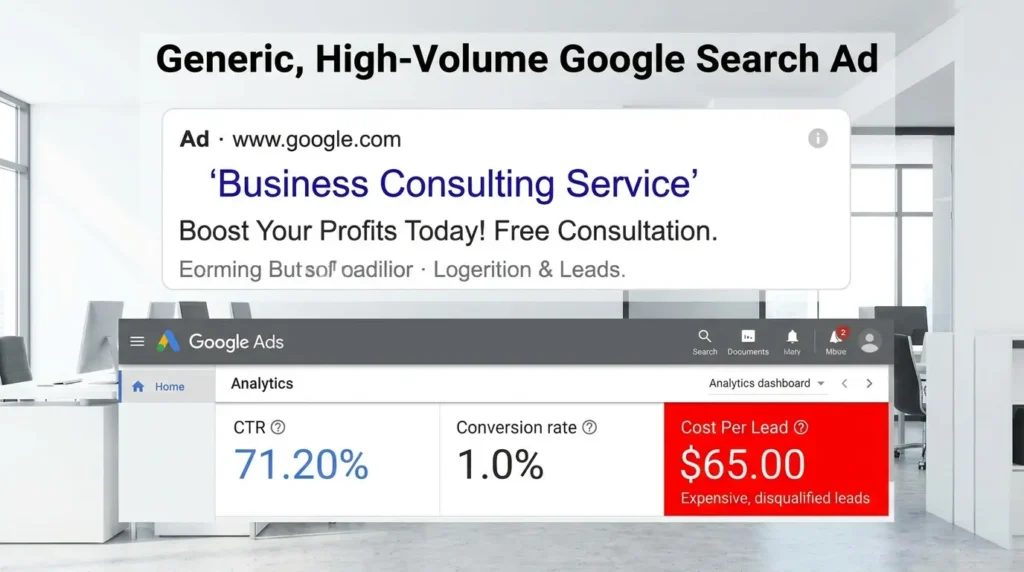
The fix is what's sometimes called anti-marketing copy: state your pricing or your ideal client criteria directly in the ad, rather than burying it on the landing page. If your service starts at $199 and a competitor undercuts at $99, write "$199" into your headline. You'll lose clicks from people who were never going to convert anyway, and the people who do click already know what they're getting into.
This matters more in lead gen than in e-commerce for a structural reason: in e-commerce, price is visible on the product page, so Google's algorithm gets a built-in quality signal from who does and doesn't convert at that price. In lead gen, a form submission and a phone call carry no inherent price information, Google has no way to know that two leads who both said "tell me more" were wildly different in budget unless your ad copy already did the sorting before the click happened.
Four elements worth testing in your next ad:
- State plainly what the service is (don't assume the searcher already knows)
- Name who it's for ("for businesses spending $50K+ annually" filters as much as it attracts)
- Include a starting price if you can defend it
- Add one piece of conditional information that requires the prospect to self-select before clicking
Takeaway: A lower click-through rate paired with a higher conversion-to-close rate is a trade worth making almost every time in lead gen.
The Keyword SWOT Framework: A Diagnostic You Can Run This Week
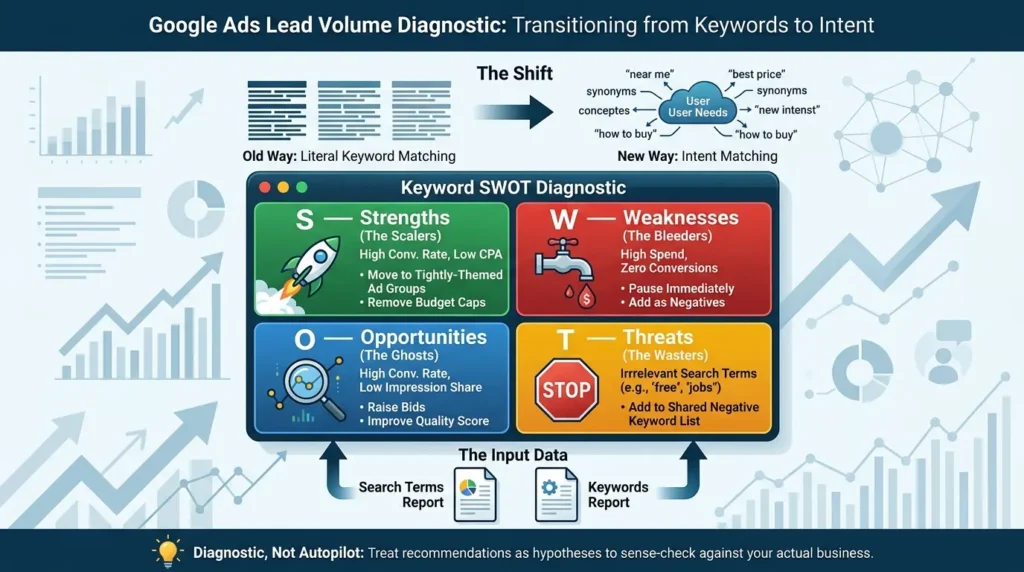
When lead volume drops without any account changes, the usual culprit is a shift in what's actually triggering your ads. Google has moved from matching literal keyword syntax to matching intent, and that's now true even for exact match. A keyword you set up two years ago might be triggering for entirely different searches today than when you built the campaign.
The fix is a structured audit, not a guess. Pull two reports from Google Ads, your Search Terms report and your Keywords report, and run them through a SWOT lens:
S — Strengths (the scalers): High conversion rate, low cost-per-acquisition. Move these into their own tightly-themed ad groups and remove budget caps.
W — Weaknesses (the bleeders): High spend, zero conversions. Pause immediately or add as negatives.
O — Opportunities (the ghosts): High conversion rate but low impression share, usually due to budget or Quality Score constraints. Raise bids or improve ad relevance to capture more of this traffic.
T — Threats (the wasters): Search terms triggering your ads that have nothing to do with buying intent — "free," "jobs," "DIY," "career." Add these to a shared negative keyword list across your account.
This is meant as a diagnostic, not an autopilot. Treat every recommendation it surfaces as a hypothesis to sense-check against your actual business, not an instruction to execute blindly.
Quick Reference: Search vs. Performance Max for Lead Quality
| Factor | Search | Performance Max |
|---|---|---|
| Visibility into what triggered the ad | Full search term reports | Partial (PMax search term insights) |
| Negative keyword control | Up to 10,000 per campaign | 10,000 per campaign as of March 2025, but no native campaign-level negative list — exclusions run through account-level lists or brand exclusions |
| Best used for | Establishing a clean conversion baseline | Scaling a baseline that already exists |
| Ideal starting point | Day one | After 30–50 verified Search conversions |
The Legal Layer Most Lead-Gen Guides Skip: TCPA and Consent
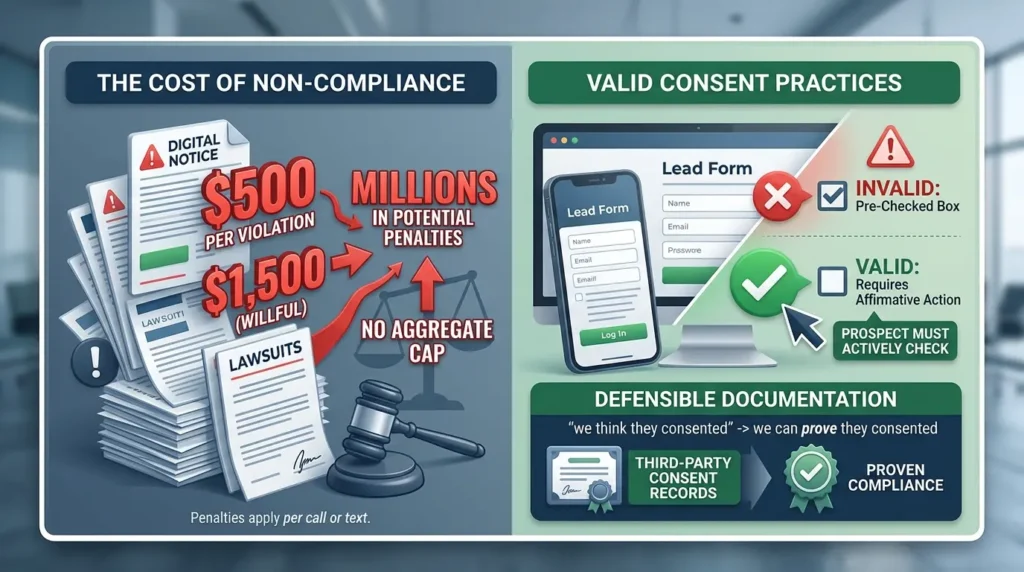
If you're collecting phone numbers for outbound contact, this isn't optional reading. TCPA violations can carry penalties of up to $500 per violation, trebled to as much as $1,500 per violation for willful or knowing violations, and critically, these penalties apply per call or text, with no aggregate cap, which is how individual cases have scaled into seven and eight figures. You can review the official FCC guidance on TCPA and telemarketing compliance to ensure your practices align with current federal standards."
The practical implication for your lead forms: a pre-checked consent box does not constitute valid consent. The prospect needs to take an affirmative action, actively checking an unchecked box, for the consent to hold up. If you're buying or selling leads, sophisticated counterparties increasingly require third-party consent documentation (TrustedForm or Jornaya LeadiD are the common standards) precisely because "we think they consented" isn't a defensible position in litigation.
This isn't a reason to avoid phone-based lead gen. It's a reason to make sure your consent language and your form's technical implementation can actually prove what the prospect agreed to, not just claim it.
Before vs. After: What Changes When You Apply This
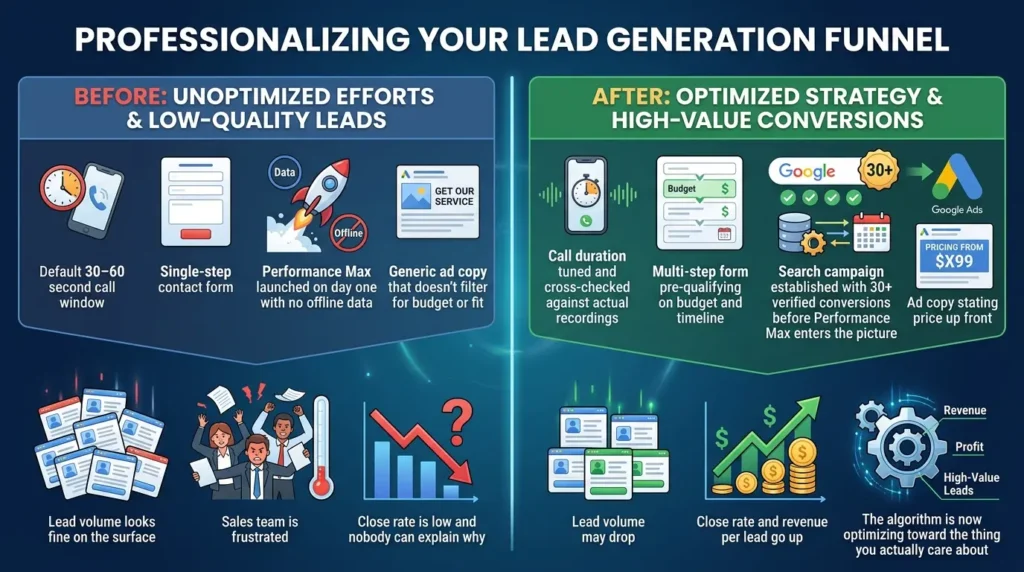
Before: Default 30–60 second call window, single-step contact form, Performance Max launched on day one with no offline data, generic ad copy that doesn't filter for budget or fit. Lead volume looks fine on the surface. Sales team is frustrated. Close rate is low and nobody can explain why.
After: Call duration tuned and cross-checked against actual recordings, multi-step form pre-qualifying on budget and timeline, Search campaign established with 30+ verified conversions before Performance Max enters the picture, offline conversion data feeding real outcomes back to Google on a recurring schedule, ad copy stating price up front. Lead volume may drop. Close rate and revenue per lead go up. The algorithm is now optimizing toward the thing you actually care about.
Where to Go From Here: Google Ads Leads Quality
None of these fixes work in isolation, and that's really the point. A tighter call duration setting without a multi-step form just reduces volume without improving quality. A multi-step form without offline conversion tracking still leaves Google guessing at what happens after the click. The compounding value comes from treating this as one feedback loop, tightening your definition of "success" at every stage, from the ad copy to the conversion setting to what you report back to Google weeks later when a lead actually closes.
Start with whichever fix maps to your most visible symptom: loose call settings if you're hearing dead air on "converted" calls, a single-step form if you're seeing obvious spam, or an early Performance Max launch if your lead quality cratered right after you turned it on. Fix that first, then work through the rest.
FAQ
What's the ideal call duration setting for Google Ads conversions?
Should I use "count one" or "count every" for call conversions?
Is Performance Max bad for lead generation?
How do multi-step forms actually reduce spam?
What is offline conversion tracking and do I need a developer to set it up?
Is a pre-checked consent box legal for lead forms?
How many keywords should I review in a search term audit?






[…] Read the Full Article → […]